
SpiderCard platform enables quick and secure wallet transfers between users. Whether you’re paying a friend or moving funds, you can easily complete the transaction using Spider UID. This guide will walk you through the transfer process.
Initiate Transfer
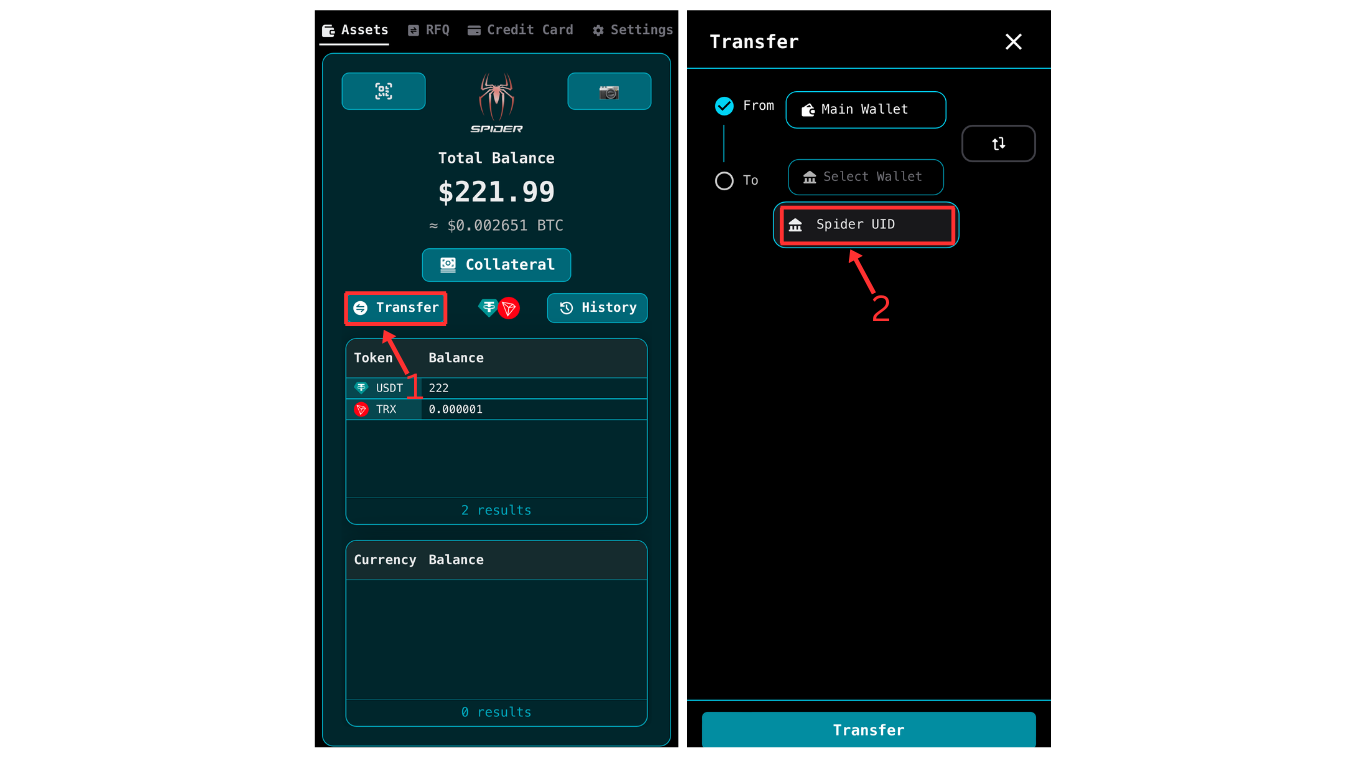
- 👆 Tap the “Transfer” button on your main wallet screen.
- 🔄 Tap “Select Wallet” under the “To” field and choose “Spider UID”.
Enter Transfer Details
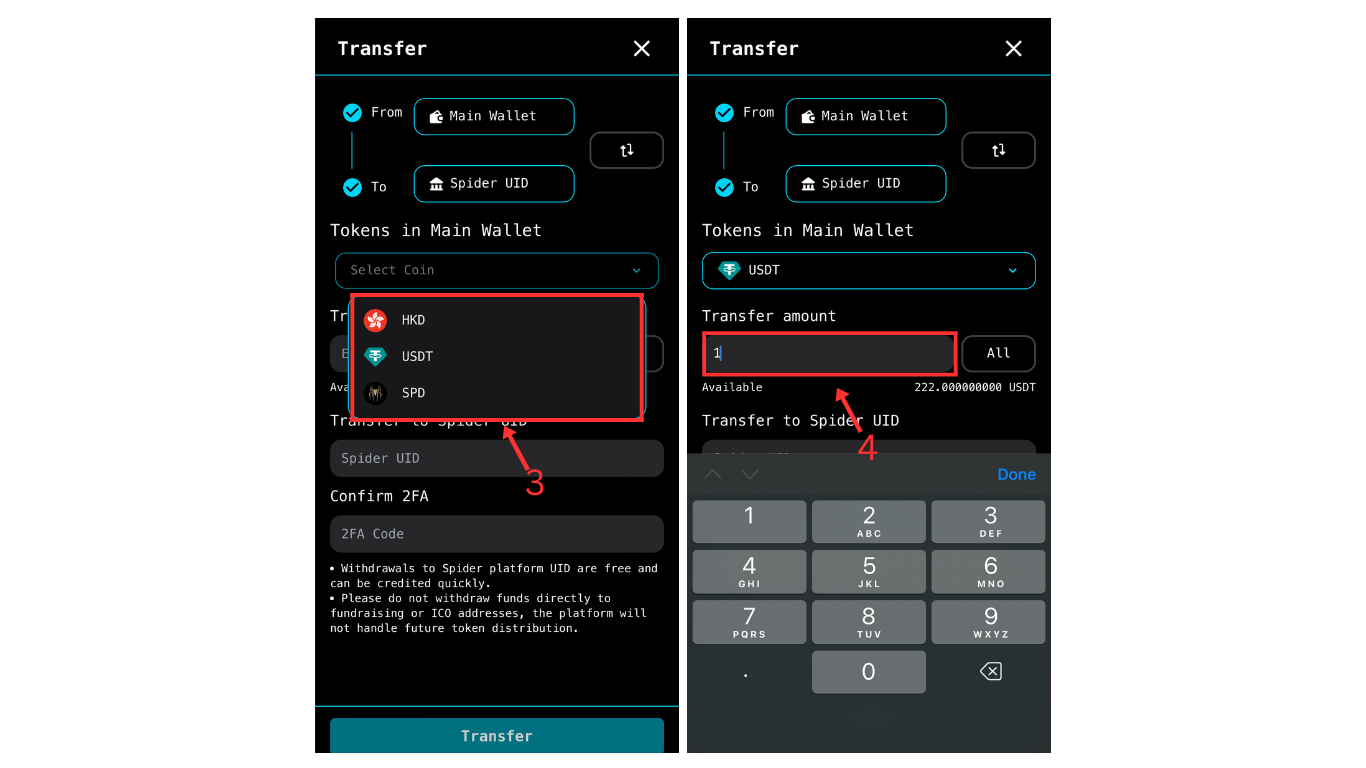
- 💱 Select Currency: From the dropdown menu, choose which currency you want to transfer.
- 🆔 Enter Recipient’s UID: Enter the recipient’s Spider UID in the designated field.
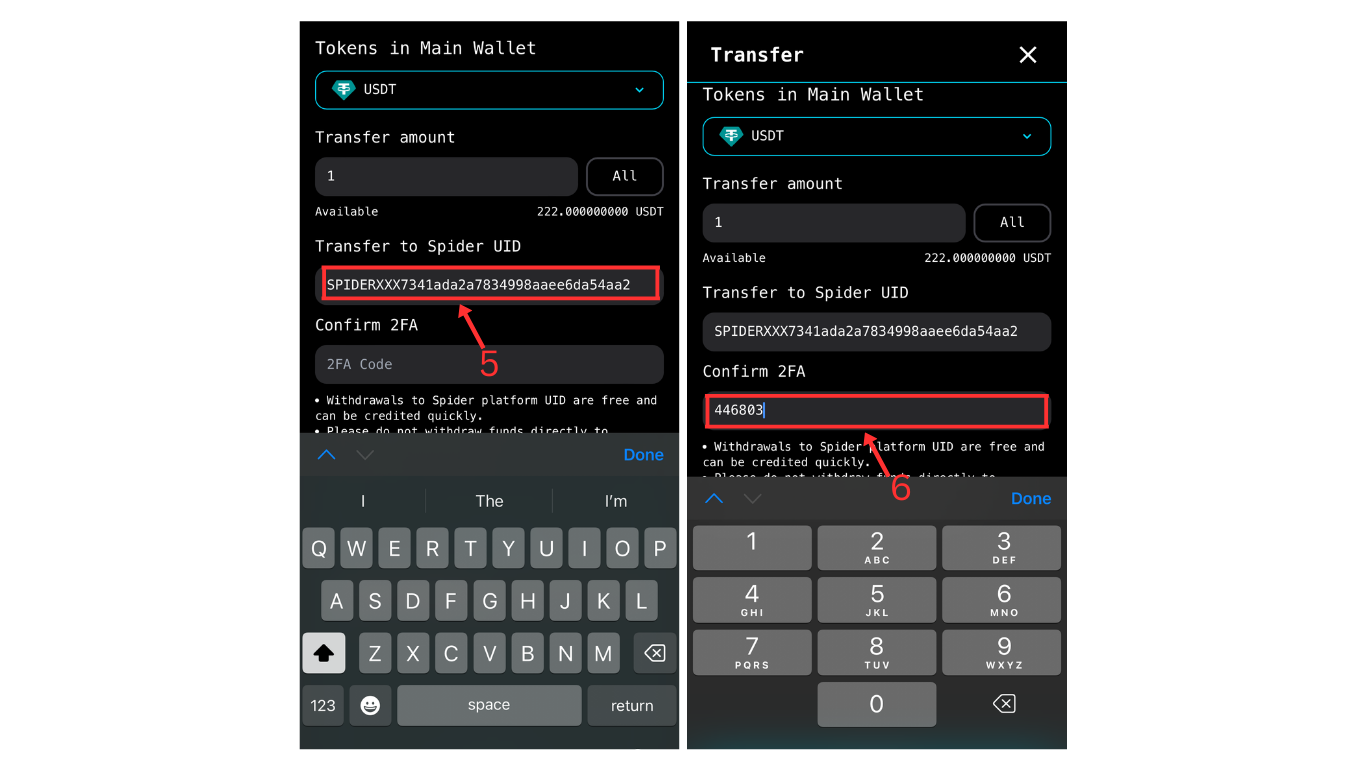
- 🔢 Enter Amount: Enter the amount you wish to transfer in the “Enter Value” field.
- 🔐 Security Verification: Enter your 6-digit authentication code in the field provided. If you haven’t set up 2FA yet, please refer to the Setting Up 2FA Security Code guide.
Complete Transfer
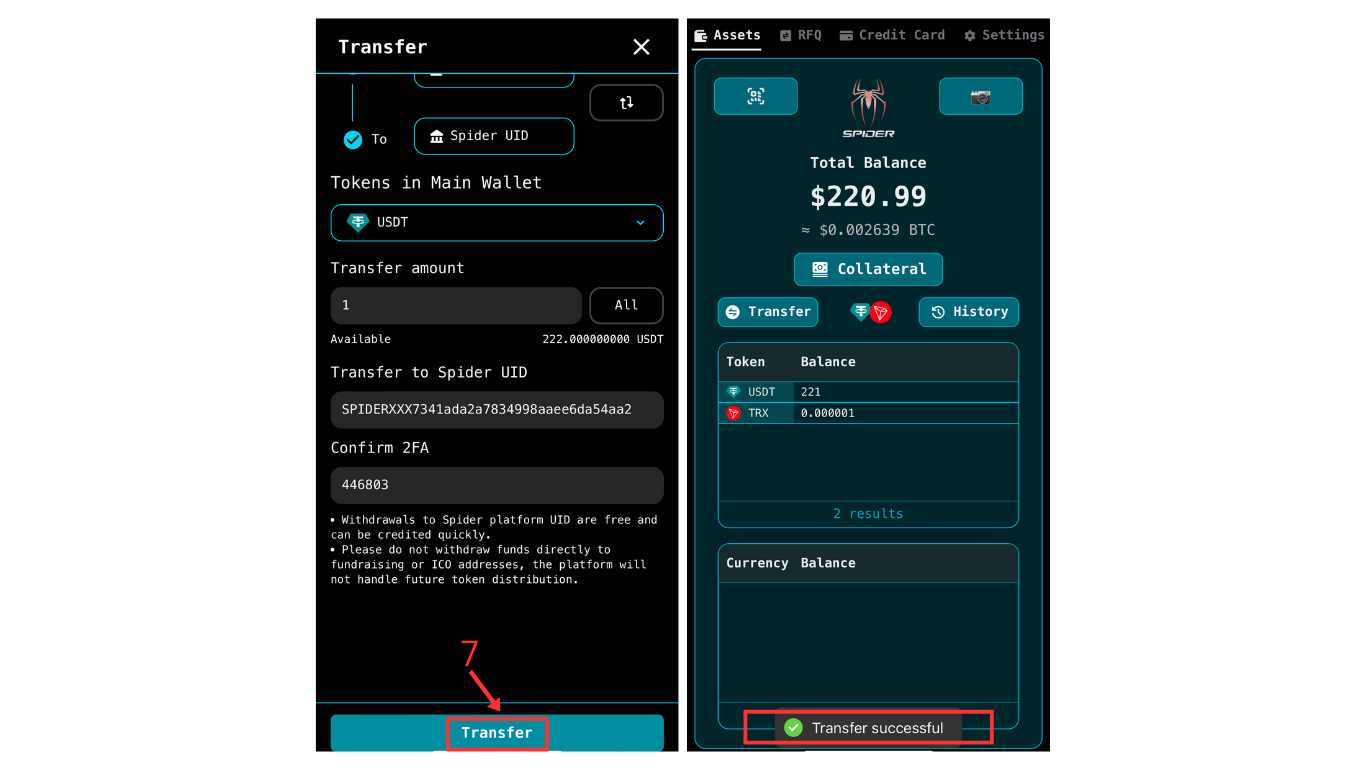
- ✅ Execute Transfer: After confirming all information (recipient UID, currency, amount) is correct, tap the “Transfer” button at the bottom of the screen.
- 🎉 Transfer Success: A “Transfer Successful” message will appear when complete. The funds are instantly transferred to the recipient’s SpiderCard wallet.